Getting Help
Stuck? This page helps you solve the problem yourself or reach us if you can’t.
Before You Ask
Please start by trying to resolve the issue on your own:
- Read the Getting Started section
- Use the search bar on this wiki (at the top of the page) to find related information by keywords
- Browse the Frequently Asked Questions (FAQs) below
- Search online; your exact issue may already be answered
If you have tried the above and are still stuck, it is a good time to ask for help.
Contact Us
The best way to reach us is on GitHub:
- Issues — confirmed bugs and planned work
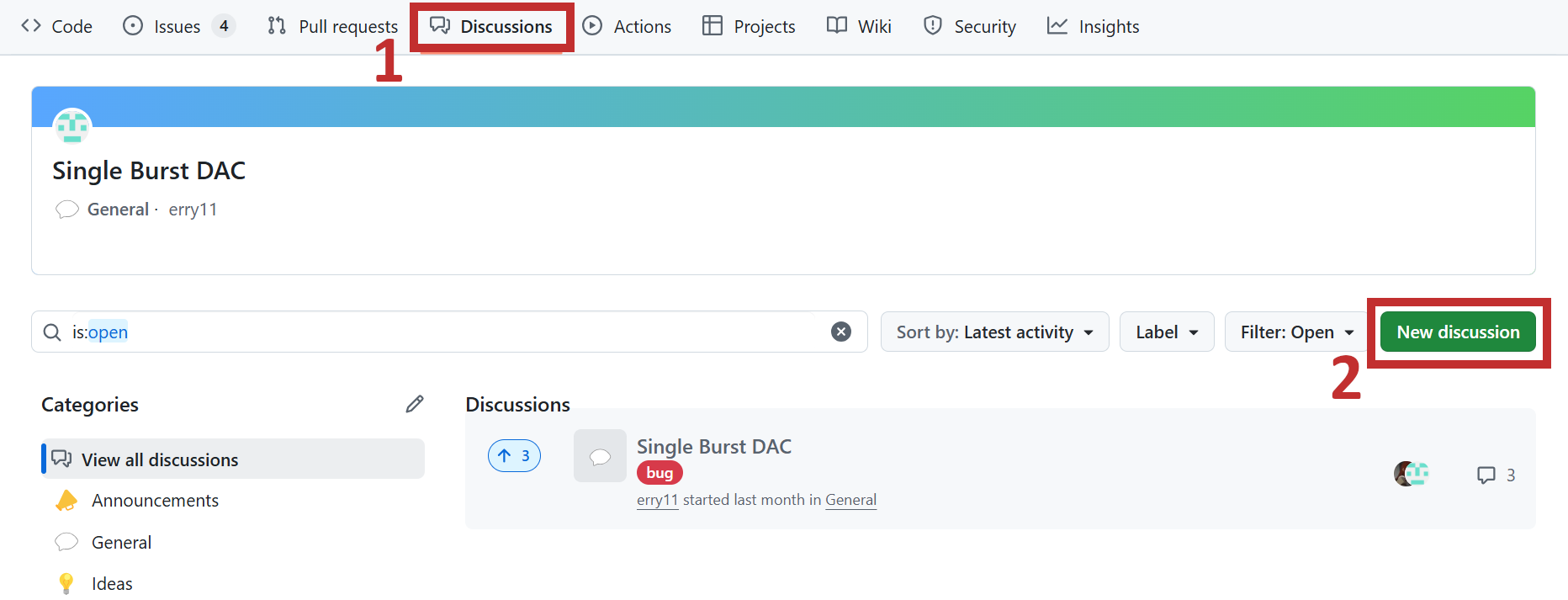
- Discussions — everything else, including questions and ideas
If you want to keep things private, you can contact the SensEdu team directly via contact@sensedu-shield.com.
When asking for help:
- Avoid vague questions like “it doesn’t work”
- Provide info on your OS, Arduino IDE version, SensEdu shield revision, and SensEdu library version
- Describe your hardware setup (wiring, sensors, power source)
- Tell us what you have already tried
- List the steps required to reproduce your issue
- Paste error messages as text and add screenshots if helpful
Your details will help us to answer your question!
Opening a new discussion on GitHub looks like this:
FAQs
Here you can find the most frequently asked questions.
How do I order the shield?
Email us at contact@sensedu-shield.com.
Why does my board not show up in the port list?
Make sure you are using a USB cable that supports data transfer, and that the Arduino Mbed OS Giga Boards package is installed (see Getting Started). If the port is still missing, double-tap the reset button on the GIGA R1 to enter bootloader mode and select the port again. If it still fails, most likely your USB driver is installed incorrectly. Usually it ships together with Arduino IDE, so try to reinstall it. Ensure you have administrator rights during your installation.
Why do I get SensEdu.h: No such file or directory?
The library is not installed in the right place. Move the contents of the library folder from the latest release to your Arduino libraries folder, as described in Getting Started:
- Windows:
C:\Users\{username}\Documents\Arduino\libraries\ - Linux:
/home/{username}/Arduino/libraries/ - macOS:
/Users/{username}/Documents/Arduino/libraries/
Restart the Arduino IDE afterwards.
How can I contribute?
Start with the Contributing Guide and create a discussion on GitHub for your contribution, where we will discuss your ideas and help you get started!